Successful digitalisation of a production and logistics site means replacing paper documents with tools that teams actually use, from the office to the loading bay. That is the project we carried out for a fertilizer manufacturer and distributor: production, logistics, stock and documents are now managed on computers, tablets and handheld scanners. Here is how we went about it, and what this kind of project changes day to day.
Why digitalise a production and logistics site?
On an industrial site, every production run and every lorry generates its share of paperwork: production orders, weighing sheets, loading and unloading notes, stock records. As long as this information stays on paper, it is re-entered several times, reaches the office late and sometimes gets lost along the way.
Our client had set us four objectives:
go fully paperless for production and logistics documents;
improve the traceability of production runs;
reduce delays and errors caused by re-keying data;
make documents and data available in real time.
Production: from production planning to batch traceability
The production module starts from the production schedule, organised by workstation, with the quantities to produce per hopper and the status of each run. Data from the plant control software is retrieved automatically, so operators no longer have to copy it by hand.
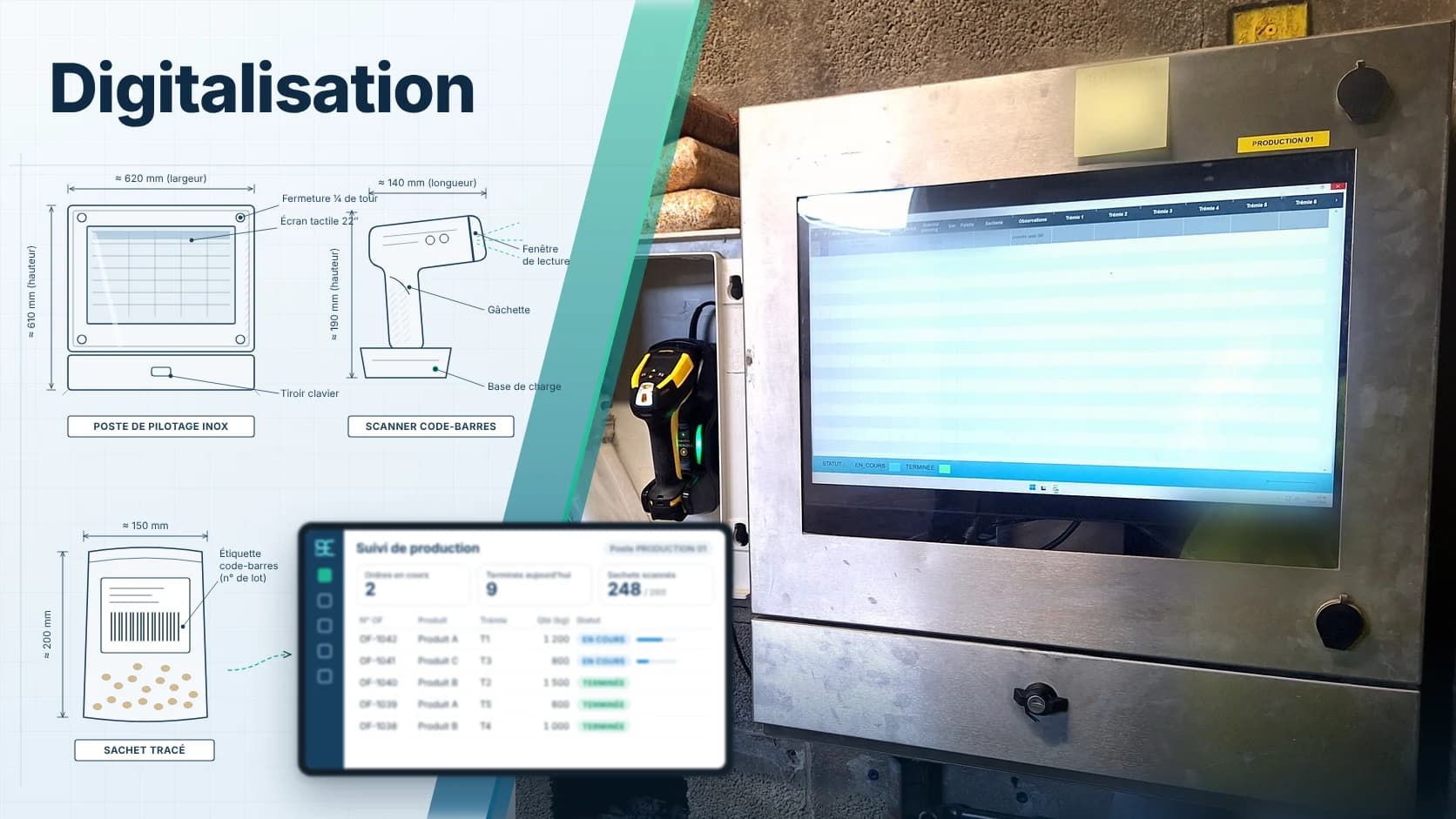
The entry screen adapts to each workstation's production mode: blending, bagging, multi-station production or unloading of incoming products. For each run, the operator has:
the detailed composition to produce;
entry of the hoppers and storage bays used for each product;
weighing management;
batch numbers and the final location of finished products.
At the end of each run, the production report is generated automatically and added to the technical file. Batch traceability is ensured with no binders to fill in. Unloading of incoming products is also scheduled in the tool, and access to workstations is controlled by badge, with a dedicated badge management screen.
Logistics: forklift drivers equipped with tablets
On the logistics side, the logistics manager and the forklift drivers work on tablets. The manager assigns loading, unloading and order picking jobs to drivers, who can also assign a picking job to themselves.
On their tablet, each driver finds their tasks:
loading and unloading: select the order, then the items, scan the locations, enter batch numbers, take photos, and have the driver sign on screen to validate the note;
order picking, item by item, with location scanning;
stock transfers from one location to another, as well as blocking and unblocking items;
supply board, to feed raw materials to production and track the remaining stock.
From their own tablet, the logistics manager validates delivery notes, collects lorry drivers' signatures and monitors stock by location.
Stock and scheduling: real-time data
Every movement recorded in production or logistics updates stock by location. Stock additions, changes and deletions are logged, rolling inventory is built into the tool, and a tonnage report can be produced at any time.
The hauliers' schedule, published on their extranet, is retrieved automatically and supplemented with customer and supplier order tracking; entries can still be added manually on the schedule. Production and logistics documents are stored in a central document management system, and sales management runs on BlendExpert, our fertilizer formulation software, deployed here in a client/server version.
An end-to-end project
Digitalising a site is about more than software. For this project, we also took care of:
ordering and configuring the hardware: workstations, tablets, handheld scanners and badges;
infrastructure advice, followed by data integration and migration to a remote server;
unit, integration and performance testing, followed by user acceptance testing;
team training, user guides and a support interface for operators.
The project ended with a formal acceptance meeting with the client, during which each deliverable was checked against the specifications. To find out more about how we run these projects, discover our method.
Frequently asked questions
Do existing software systems need to be replaced?
Not necessarily. In this project, data from the production control software and the hauliers' extranet schedule is retrieved automatically. The new solution builds on existing systems rather than replacing them.
What hardware is needed?
Workstations for the offices, tablets for the forklift drivers and the logistics manager, handheld scanners to read locations and badges for workstation access. We can handle ordering and configuring them for you.
How are teams supported?
Training sessions are organised for each team, with user guides and operating procedures. A support interface is then made available to operators.
Looking to digitalise your site?
Every site has its own workstations, flows and habits: we start from the way you work to build the tool that fits it. Do you run a production site or a warehouse and want to go paperless? Tell us about your project and we will look at your needs with you.